
Loading
 ← Back to blogs
Discover the top AI tools every digital marketer should learn in 2026 — from ChatGPT to Surfer SEO — and see how they boost results.
If you've spent any time on marketing Twitter, LinkedIn, or even a college WhatsApp group lately, you've probably noticed the same question popping up everywhere: "Which AI tools should I actually learn?"
It's a fair question. In 2026, the gap between marketers who use AI well and those who don't isn't just a productivity gap — it's a career gap. Recruiters are screening for AI fluency. Freelance clients expect faster turnarounds. Agencies are restructuring entire workflows around AI-assisted content and campaigns.
The good news? You don't need to learn fifty tools. You need to learn the right ones, understand what each is genuinely good for, and know how they fit into a real marketing workflow — not just a listicle.
This guide breaks down the top AI tools every digital marketer should learn, why they matter, how much they cost, and how to actually choose between them. Whether you're a student exploring digital marketing, a freelancer juggling five clients, or a business owner trying to do more with a lean team, this is written for you.
AI tools are software applications powered by machine learning and generative AI models that can understand, generate, or analyze content, data, and decisions with minimal human input. In marketing, this means tools that can write a blog draft, design a social post, edit a video, analyze a keyword gap, or automate a workflow — often in a fraction of the time a human would take alone.
The key word here is alone. AI tools aren't replacing marketers; they're replacing the slow, repetitive parts of a marketer's job so there's more time left for strategy, creativity, and judgment — the things AI still can't do well.
A few years ago, "using AI in marketing" mostly meant a chatbot on your website. Today, AI touches nearly every stage of the funnel:
This shift matters because search engines themselves have changed. With AI Overviews, generative search, and voice assistants answering queries directly, marketers now need to optimize not just for Google's blue links but for how AI systems summarize and cite content. That's exactly why learning AI tools isn't optional anymore — it's foundational.
None of this replaces strategy. It just means strategy gets executed faster.
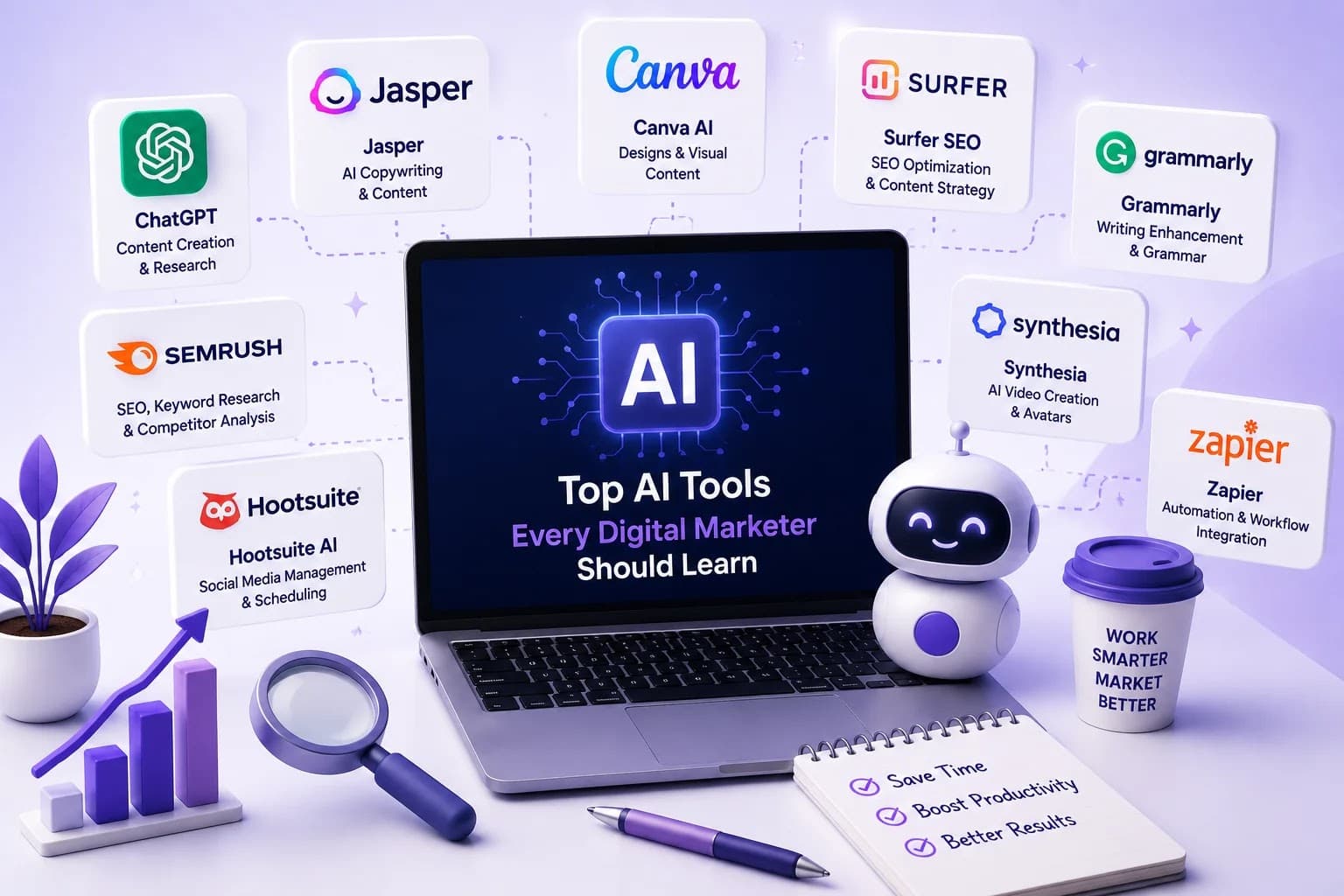
Below is a practical breakdown of the AI tools that matter most in 2026 — grouped by what they're actually used for, not just hype.
Overview: ChatGPT remains the most versatile AI assistant for marketers, used for everything from brainstorming campaign angles to writing first drafts of blogs, emails, and ad copy.
Best For: Content ideation, copywriting, research summaries, customer persona building.
Key Features:
Pros:
Cons:
Pricing: Free tier available; paid plans typically start around $20/month.
Who Should Use It: Everyone — from students learning marketing basics to senior strategists drafting campaign briefs.
Real-World Example: A freelance marketer uses ChatGPT to turn a client's rough campaign notes into a structured content calendar in under 15 minutes.
Expert Tip: Don't ask ChatGPT to "write a blog." Ask it to outline, then draft section-by-section with your own examples woven in — the output reads far more human.
Overview: Claude AI (by Anthropic) has earned a strong reputation among marketers for long-form writing, nuanced tone control, and handling large documents like brand guidelines or research reports.
Best For: Long-form content, brand-voice-consistent writing, document analysis.
Key Features:
Pros:
Cons:
Pricing: Free tier available; paid plans generally start around $20/month.
Who Should Use It: Content marketers, SEO writers, and business owners who need polished, long-form output.
Real-World Example: A content team uses Claude AI to rewrite a 2,000-word technical guide into a beginner-friendly blog post while preserving factual accuracy.
Expert Tip: Upload your brand style guide as context before asking Claude AI to draft content — the tone match improves dramatically.
Overview: Google Gemini integrates directly with Google's ecosystem — Search, Ads, Analytics, and Workspace — making it a natural fit for marketers already living inside Google tools.
Best For: Google Ads copy, Analytics insights, and integrated workflows within Gmail, Docs, and Sheets.
Key Features:
Pros:
Cons:
Pricing: Free tier available; premium plans bundled with Google One AI plans.
Who Should Use It: Marketers heavily invested in Google Ads, Analytics, and Workspace.
Real-World Example: A performance marketer uses Gemini inside Google Sheets to instantly summarize a month's worth of campaign data into key takeaways.
Expert Tip: Use Gemini alongside Google Analytics 4 to translate confusing metrics into plain-language action items for clients.
Overview: Perplexity AI functions as an AI-powered search engine, providing cited, real-time answers instead of a list of links.
Best For: Market research, competitor analysis, fact-checking.
Key Features:
Pros:
Cons:
Pricing: Free tier available; Pro plan typically around $20/month.
Who Should Use It: Researchers, strategists, and content planners who need fast, sourced answers.
Real-World Example: An SEO strategist uses Perplexity to quickly research a competitor's recent product launch before writing a comparison blog.
Expert Tip: Always click through to the cited sources before using Perplexity's answers in client-facing reports.
Overview: Canva's AI features (Magic Design, Magic Write, and background remover) have made professional-looking design accessible to non-designers.
Best For: Social media graphics, presentations, quick brand assets.
Key Features:
Pros:
Cons:
Pricing: Free tier available; Canva Pro typically around $12.99/month.
Who Should Use It: Social media managers, small business owners, and freelancers without dedicated designers.
Real-World Example: A gym's social media manager uses Canva AI to turn a workout photo into a full week of on-brand Instagram carousel posts.
Expert Tip: Feed Canva your brand kit first, then use Magic Design — the outputs stay consistent instead of generic.
Overview: Adobe Firefly brings generative AI directly into the Adobe Creative Cloud ecosystem, ideal for marketers already working in Photoshop or Illustrator.
Best For: Advanced image generation, editing, and brand-safe generative design.
Key Features:
Pros:
Cons:
Pricing: Free tier available; full access bundled with Creative Cloud plans.
Who Should Use It: In-house design teams and marketers working within Adobe tools.
Real-World Example: A brand team uses Firefly's generative fill to extend a product photo for different ad aspect ratios without a reshoot.
Expert Tip: Use Firefly for brand-safe generative work when client contracts require commercially cleared AI content.
Overview: Midjourney remains a top choice for high-quality, artistic AI image generation, popular for campaign concept art and social content.
Best For: Creative, stylized visuals and concept exploration.
Key Features:
Pros:
Cons:
Pricing: Paid plans only, typically starting around $10/month.
Who Should Use It: Creative marketers and designers producing standout visual campaigns.
Real-World Example: An agency uses Midjourney to generate mood-board concepts for a client pitch before committing to a photoshoot direction.
Expert Tip: Use Midjourney for concept exploration, then refine final assets in Canva or Photoshop for brand consistency.
Overview: Leonardo AI focuses on production-ready image generation with strong control over consistency, useful for product mockups and ad creatives.
Best For: Product visuals, ad creative variations, game and app assets.
Key Features:
Pros:
Cons:
Pricing: Free tier available; paid plans typically start around $10/month.
Who Should Use It: Performance marketers testing multiple creative variants for paid ads.
Real-World Example: A performance marketer generates ten variations of a product image for Meta Ads creative testing in one afternoon.
Expert Tip: Use Leonardo AI's consistent-character feature when running recurring ad campaigns featuring the same "brand persona."
Overview: Gamma AI turns text prompts or outlines into polished presentations, documents, and one-pagers without manual slide design.
Best For: Pitch decks, client proposals, internal reports.
Key Features:
Pros:
Cons:
Pricing: Free tier available; paid plans typically start around $10/month.
Who Should Use It: Marketers preparing client pitches, reports, or internal presentations.
Real-World Example: A digital marketing intern turns a rough campaign strategy doc into a client-ready presentation in under 20 minutes using Gamma.
Expert Tip: Paste your existing bullet-point notes into Gamma instead of writing prompts from scratch — the results are more accurate.
Overview: Napkin AI converts written text into visual diagrams, flowcharts, and infographics, ideal for simplifying complex marketing concepts.
Best For: Turning explanations into visuals for blogs, decks, or social posts.
Key Features:
Pros:
Cons:
Pricing: Free tier available; paid plans vary.
Who Should Use It: Content marketers creating explainer blogs or LinkedIn carousels.
Real-World Example: A marketer converts a paragraph explaining "the SEO funnel" into a clean visual diagram for a LinkedIn post.
Expert Tip: Use Napkin AI to turn your blog's key takeaways into a shareable visual summary for social media.
Overview: Google's NotebookLM acts as an AI research assistant that summarizes and organizes your own uploaded documents, making it useful for training and content research.
Best For: Summarizing research, training materials, and long documents.
Key Features:
Pros:
Cons:
Pricing: Free tier available.
Who Should Use It: Trainers, students, and teams onboarding new marketers.
Real-World Example: A digital marketing trainer uploads a course module into NotebookLM so students can ask questions and get instant, source-based answers.
Expert Tip: Use NotebookLM's Audio Overview to turn dense SEO guides into a podcast-style summary for your commute.
Overview: Grammarly AI has evolved from a grammar checker into a full writing assistant that adjusts tone, clarity, and structure across marketing content.
Best For: Editing blogs, emails, and ad copy for clarity and professionalism.
Key Features:
Pros:
Cons:
Pricing: Free tier available; premium plans typically start around $12/month.
Who Should Use It: Every marketer who writes — which is basically every marketer.
Real-World Example: A student proofreads their first client blog post with Grammarly AI before submission, catching tone issues a spell-checker would miss.
Expert Tip: Set Grammarly's tone goal to match your brand voice, not just "formal" or "friendly" by default.
Overview: Jasper AI is built specifically for marketing teams, with brand voice training and templates for ads, emails, and long-form content.
Best For: Scaled content production for agencies and marketing teams.
Key Features:
Pros:
Cons:
Pricing: Paid plans only, typically starting around $39/month.
Who Should Use It: Marketing teams and agencies managing multiple brand voices.
Real-World Example: An agency uses Jasper AI to maintain consistent brand tone across five different client accounts simultaneously.
Expert Tip: Invest time upfront training Jasper's brand voice feature — it pays off across every piece of content afterward.
Overview: Copy.ai focuses on fast-turnaround marketing copy — ad headlines, product descriptions, and email subject lines — with workflow automation built in.
Best For: Short-form copywriting and repetitive content tasks.
Key Features:
Pros:
Cons:
Pricing: Free tier available; paid plans typically start around $36/month.
Who Should Use It: E-commerce marketers and small teams needing fast, short-form copy.
Real-World Example: An online sunglasses brand uses Copy.ai to generate dozens of ad headline variations for A/B testing in Google Ads.
Expert Tip: Use Copy.ai for volume, then hand-pick and refine only the top-performing variations.
Overview: Surfer SEO uses AI to analyze top-ranking pages and provide a content score, helping writers optimize articles for search intent as they write.
Best For: On-page SEO optimization and content briefs.
Key Features:
Pros:
Cons:
Pricing: Paid plans only, typically starting around $89/month.
Who Should Use It: SEO writers and content teams focused on ranking performance.
Real-World Example: A blog team improves organic rankings by restructuring an underperforming article based on Surfer's content score suggestions.
Expert Tip: Treat Surfer's score as a guide, not gospel — readability and usefulness always come before hitting a perfect score.
Overview: Semrush has layered AI features across its suite — from AI-generated content outlines to automated technical SEO audits.
Best For: Comprehensive SEO research, competitor analysis, and content planning.
Key Features:
Pros:
Cons:
Pricing: Free limited access; paid plans typically start around $139/month.
Who Should Use It: SEO professionals and agencies managing multiple client sites.
Real-World Example: An SEO executive uses Semrush's AI content template to structure a blog before writing, saving hours of manual outlining.
Expert Tip: Run a keyword gap analysis against your top three competitors before planning your next content quarter.
Overview: Ahrefs combines its industry-leading backlink data with AI features for content ideas, brief creation, and SERP analysis.
Best For: Backlink analysis and data-driven content strategy.
Key Features:
Pros:
Cons:
Pricing: Paid plans only, typically starting around $129/month.
Who Should Use It: SEO specialists focused on link building and technical audits.
Real-World Example: An SEO consultant identifies a competitor's top-linking pages using Ahrefs and builds a targeted outreach campaign around similar content gaps.
Expert Tip: Use Ahrefs' "content gap" tool to find keywords competitors rank for that your site is missing entirely.
Overview: Frase uses AI to research, outline, and optimize content based on what's already ranking for a target keyword.
Best For: Content briefs and SERP-based content research.
Key Features:
Pros:
Cons:
Pricing: Paid plans only, typically starting around $15/month.
Who Should Use It: Content teams that need fast, SERP-informed briefs.
Real-World Example: A content strategist generates a full content brief for a competitive keyword in minutes instead of manually reading ten competitor articles.
Expert Tip: Use Frase's outline as a starting skeleton, then add original data, quotes, or examples that competitors don't have.
Overview: Opus Clip uses AI to automatically identify and edit the most engaging moments from long-form videos into short, platform-ready clips.
Best For: Repurposing long videos into Reels, Shorts, and TikToks.
Key Features:
Pros:
Cons:
Pricing: Free tier available; paid plans typically start around $9/month.
Who Should Use It: Marketers repurposing podcasts, webinars, or long YouTube videos.
Real-World Example: A brand turns one 40-minute podcast episode into eight short-form clips for Instagram Reels using Opus Clip.
Expert Tip: Always review AI-suggested clips for context — a highlight can be technically "engaging" but confusing without setup.
Overview: CapCut has become a go-to editing app for social media marketers, with AI features for captions, background removal, and auto-editing.
Best For: Fast, mobile-friendly short-form video editing.
Key Features:
Pros:
Cons:
Pricing: Free tier available; Pro plan typically around $7.99/month.
Who Should Use It: Social media managers and creators producing daily short-form content.
Real-World Example: A gym's social media manager edits a client testimonial video with auto-captions in under ten minutes using CapCut.
Expert Tip: Use CapCut's auto-caption feature even on scripted videos — accurate captions significantly boost watch time on silent autoplay feeds.
Overview: HeyGen generates AI avatar videos from text scripts, allowing marketers to produce presenter-style videos without filming.
Best For: Explainer videos, training content, and localized video ads.
Key Features:
Pros:
Cons:
Pricing: Free tier available; paid plans typically start around $24/month.
Who Should Use It: Trainers, course creators, and marketers needing scalable video content.
Real-World Example: A digital marketing academy creates a multilingual course intro video using HeyGen instead of reshooting for each language.
Expert Tip: Use HeyGen for consistent training or onboarding videos where the message matters more than emotional delivery.
Overview: ElevenLabs produces highly realistic AI voiceovers, widely used for video narration, ads, and podcast-style content.
Best For: Voiceovers for videos, ads, and audio content.
Key Features:
Pros:
Cons:
Pricing: Free tier available; paid plans typically start around $5/month.
Who Should Use It: Video marketers and podcasters needing quick, quality voiceovers.
Real-World Example: A marketer generates a professional voiceover for a product demo video without booking a studio session.
Expert Tip: Always disclose AI-generated voiceovers when required, and never clone a real person's voice without explicit permission.
Overview: HubSpot has embedded AI across its CRM, offering content generation, lead scoring, and automated reporting inside one platform.
Best For: Inbound marketing, CRM automation, and lead nurturing.
Key Features:
Pros:
Cons:
Pricing: Free CRM tier available; paid marketing hub plans vary by scale.
Who Should Use It: Businesses using HubSpot for CRM and inbound marketing.
Real-World Example: A B2B company uses HubSpot's AI lead scoring to prioritize outreach to the highest-intent leads first.
Expert Tip: Connect your CRM data before relying on HubSpot's AI content suggestions — personalization improves dramatically.
Overview: Zapier connects thousands of apps and now uses AI to help build and even suggest automated workflows ("Zaps") without coding.
Best For: Connecting marketing tools and automating repetitive tasks.
Key Features:
Pros:
Cons:
Pricing: Free tier available; paid plans typically start around $19.99/month.
Who Should Use It: Marketers wanting to automate lead handoffs, email triggers, and reporting.
Real-World Example: A freelancer automates client lead notifications from a website form directly into their email and CRM using Zapier.
Expert Tip: Start with one simple automation — like form-to-email — before building complex multi-app workflows.
Overview: Make.com (formerly Integromat) offers visual, highly customizable automation workflows, popular for more complex marketing operations.
Best For: Advanced multi-step marketing automations.
Key Features:
Pros:
Cons:
Pricing: Free tier available; paid plans typically start around $9/month.
Who Should Use It: Marketers and agencies managing complex, multi-tool campaigns.
Real-World Example: An agency builds an automation that syncs new form leads across five different platforms simultaneously using Make.com.
Expert Tip: Map your workflow on paper first — Make.com rewards planning before you start building.
Overview: n8n is an open-source automation tool offering full customization and self-hosting options, popular with technically inclined marketing teams.
Best For: Custom, self-hosted automation with full data control.
Key Features:
Pros:
Cons:
Pricing: Free (self-hosted); cloud plans typically start around $20/month.
Who Should Use It: Technical marketers or teams with developer support.
Real-World Example: A privacy-focused SaaS company self-hosts n8n to automate lead workflows without sending customer data to third-party servers.
Expert Tip: Only choose n8n over Zapier or Make if you or your team is comfortable with a slightly technical setup process.
Tool | Category | Best For | Free Plan | Pricing (Starting) |
ChatGPT | Content & Research | General content generation | Yes | ~$20/month |
Claude AI | Content Writing | Long-form, brand-tone writing | Yes | ~$20/month |
Google Gemini | Content & Data | Google ecosystem integration | Yes | Bundled with Google One AI |
Perplexity AI | Research | Real-time, cited research | Yes | ~$20/month |
Canva AI | Design | Social media graphics | Yes | ~$12.99/month |
Adobe Firefly | Design | Advanced generative design | Yes | Creative Cloud plans |
Midjourney | Design | Artistic image generation | No | ~$10/month |
Leonardo AI | Design | Ad creative variations | Yes | ~$10/month |
Gamma AI | Presentations | Pitch decks & proposals | Yes | ~$10/month |
Napkin AI | Visual Content | Diagrams & infographics | Yes | Varies |
NotebookLM | Research/Training | Document summarization | Yes | Free |
Grammarly AI | Writing Assistant | Editing & tone | Yes | ~$12/month |
Jasper AI | Content | Team brand-voice content | No | ~$39/month |
Copy.ai | Copywriting | Short-form ad copy | Yes | ~$36/month |
Surfer SEO | SEO | On-page optimization | No | ~$89/month |
Semrush AI | SEO | Full SEO suite | Limited | ~$139/month |
Ahrefs AI | SEO | Backlink & technical audits | No | ~$129/month |
Frase | SEO/Content | Content briefs | No | ~$15/month |
Opus Clip | Video | Repurposing long video | Yes | ~$9/month |
CapCut AI | Video | Short-form video editing | Yes | ~$7.99/month |
HeyGen | Video | AI avatar videos | Yes | ~$24/month |
ElevenLabs | Audio | AI voiceovers | Yes | ~$5/month |
HubSpot AI | CRM/Automation | Inbound marketing | Yes | Varies |
Zapier AI | Automation | App integrations | Yes | ~$19.99/month |
Make.com | Automation | Complex workflows | Yes | ~$9/month |
n8n | Automation | Self-hosted automation | Yes | Free (self-hosted) |
With this many options, it's easy to get overwhelmed. Use these questions to narrow it down:
Start with one tool per category — one for writing, one for design, one for SEO, one for automation — before expanding your stack.
Looking ahead, a few trends are already reshaping how marketers work:
The marketers who thrive won't be the ones who resist AI, nor the ones who blindly trust it — they'll be the ones who know exactly when to use it, and when to rely on human judgment instead.
1. What are the best AI tools for digital marketing beginners? ChatGPT, Canva AI, and Grammarly AI are ideal starting points because they're free, beginner-friendly, and cover the most common marketing tasks — writing, design, and editing.
2. Can AI tools completely replace a digital marketer? No. AI tools speed up execution, but strategy, brand judgment, client relationships, and creative direction still require human expertise.
3. Which AI tool is best for SEO? Surfer SEO, Semrush AI, and Ahrefs AI are the top choices for SEO, each offering AI-assisted content optimization, keyword research, and technical audits.
4. Are free AI tools good enough for small businesses? Yes, many free tiers — like ChatGPT, Canva AI, and Zapier — are powerful enough for small business marketing needs before upgrading becomes necessary.
5. How do I learn to use AI tools for marketing? Start with one tool at a time, practice with real projects, and consider a structured course like Hirloye Academy's AI Integrated Digital Marketing Program for guided, hands-on learning.
6. What is the difference between ChatGPT and Claude AI? ChatGPT is more versatile across general tasks, while Claude AI tends to excel at longer, more nuanced writing and document analysis.
7. Is it ethical to use AI-generated content for marketing? Yes, as long as it's fact-checked, edited for authenticity, and disclosed where required — especially for AI voiceovers or avatars.
8. Which AI tools are best for social media marketing? Canva AI for graphics, CapCut AI for short-form video editing, and Opus Clip for repurposing long content into Reels and Shorts are top picks.
9. Do I need to learn coding to use AI automation tools like Zapier or Make.com? No. Both are no-code platforms designed for marketers without technical backgrounds, though n8n does benefit from some technical familiarity.
10. How much does it cost to build an AI marketing tool stack? You can start entirely free using tools like ChatGPT, Canva AI, Grammarly, and Zapier's free tiers, then scale up to paid plans as your needs grow.
Learning the top AI tools every digital marketer should learn isn't about collecting subscriptions — it's about building a lean, capable toolkit that lets you move faster without losing quality. Start with the tools that solve your biggest current bottleneck, whether that's writing, design, SEO, video, or automation. Master one before adding the next.
AI isn't going to make marketers obsolete. It's going to make the marketers who understand it — deeply, practically, and ethically — far more valuable than those who don't.
Reading about AI tools is one thing. Knowing how to weave them into real campaigns, real client work, and real results is another. That's exactly the gap Hirloye Academy's training is built to close.
Through hands-on, live-project learning, students work directly with SEO, Google Ads, Meta Ads, WordPress, content marketing, AI tools, and automation — the same skills covered in this guide, applied to real client scenarios. The program also includes freelancing guidance, internship support, and career mentorship, so you're not just learning concepts in isolation but building a portfolio you can actually show employers or clients.
If you're a student, fresher, or career-switcher trying to figure out where to start in digital marketing, this is the kind of structured, practical foundation that makes the difference between knowing about AI tools and confidently using them.

Learn what Digital Marketing is, its types, benefits, career opportunities, AI trends, and why it's one of the most in-demand skills for students and professionals in 2026.

Discover the benefits of learning Digital Marketing after college, explore career opportunities, essential skills, freelancing, and how to build a successful Digital Marketing Career.
Explore the top 10 Digital Marketing Skills every student should master, from SEO and Google Ads to AI tools, to build a successful Marketing Skills portfolio and career.